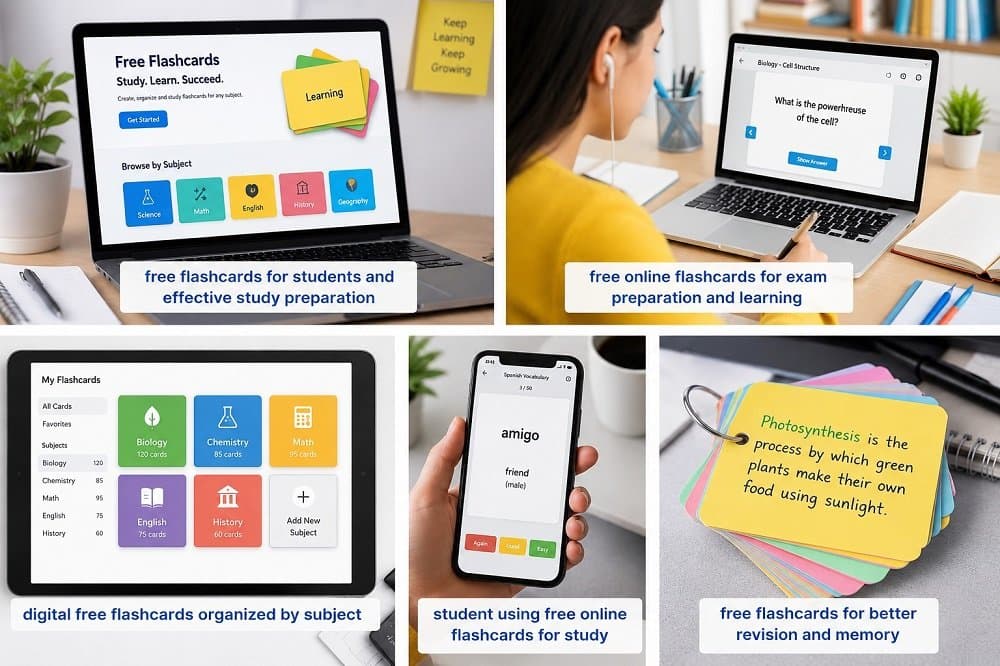
Introduction Students often need to remember large amounts of information, including definitions, vocabulary, formulas, dates, facts, and important concepts. Without a clear structure, study notes can become difficult to organize and review. A flashcard template provides a simple format that helps learners turn information into useful study cards. A template can show learners where to place a question, term, answer, or explanation. Using the same basic structure across a set of cards can make study materials easier to understand. Templates can be useful for school subjects, language learning, exam preparation, professional training, and self-study. Digital tools such as FlashCard AI can make the process more convenient by helping learners create and organize digital study materials. What Is a Flashcard Template? A flashcard template is a predefined structure used to create flashcards. A basic template may include: Question or term Answer or definition Example Important fact Category Image or visual information For example, a history card might have a question about an event on the front and a short explanation on the back. A vocabulary card might show a word on one side and its meaning on the other. The goal is to provide a repeatable structure so learners can focus on the information rather than designing every card from scratch. 1. Makes Study Materials Easier to Organize One of the main benefits of a template is organization. Students may collect information from textbooks, lectures, class notes, and online resources. If this information is not organized, finding important concepts later can take extra time. A consistent template can make each card easier to understand and sort. Learners can organize cards by: Subject Chapter Topic Difficulty Vocabulary Important concepts This can make a large collection of study flashcards easier to manage. 2. Saves Time When Creating Flashcards Creating each card from the beginning can take time, especially when a student has a large amount of material to review. A reusable template provides a structure that learners can follow repeatedly. They do not need to decide how every new card should be formatted. Digital tools can make this process even easier. Students can create flashcards online and organize them into digital sets for later review. This can be particularly helpful when preparing for an exam or learning a new subject with many terms and concepts. 3. Creates Consistent Study Flashcards Consistency makes study materials easier to follow. When every card uses a similar format, learners know where to find the question and where to find the answer. This creates a predictable review experience. For example: Front: What is photosynthesis? Back: The process plants use to convert light energy into chemical energy. The same format can be applied to an entire set of study flashcards. Keeping cards consistent can also reduce unnecessary information and encourage learners to focus on one main idea at a time. 4. Makes It Easier to Create Flashcards Online Digital flashcards provide an alternative to traditional paper cards. When students create flashcards online, they can prepare and organize study materials using supported computers, tablets, or smartphones. Online flashcards can be useful for: Vocabulary Science History Mathematics Language learning Exam preparation Professional certifications Digital cards can also be edited more easily. If a student finds an error or wants to improve an explanation, the card can be updated without creating an entirely new set. 5. Works Well With a Flashcard Maker Online A flashcard maker online can simplify the process of creating digital study cards. Instead of manually designing each card, learners can use an existing structure and focus on the information they need to remember. Depending on the platform, an online flashcard maker may allow users to: Create questions and answers Edit cards Organize cards into sets Add categories Review cards digitally Manage study materials Features vary between platforms, so learners should choose a tool that fits their study habits and requirements. 6. Supports Different Types of Flashcards for Study A template can be adapted to many subjects and learning styles. For example, flashcards for study can be created for different types of information. Vocabulary Front: What does “rapid” mean? Back: Happening quickly. Science Front: What is the basic unit of life? Back: The cell. Mathematics Front: What is the area formula for a rectangle? Back: Length × width. History Front: What is a historical event? Back: An event from the past that is important for understanding history. A flexible template allows learners to use the same basic structure while adapting the content to different subjects. 7. Makes Digital Review More Flexible Digital study cards can make review more convenient. Instead of carrying physical cards, learners can use digital study materials on supported devices. This can make short study sessions easier to fit into a busy day. Students may review cards: Before class During a study break At home While preparing for an exam During a short daily review session Some platforms also provide free online flashcards, giving learners access to digital study materials without requiring physical cards. What Should a Good Flashcard Template Include? A useful template should remain simple and focused. Element Purpose Question or term Identifies what the learner needs to recall Answer Provides the main information Definition Explains a concept Example Shows how the concept works Category Helps organize related cards Image Adds visual context when useful Not every card needs every element. The best structure depends on the subject and the type of information being learned. How to Create Flashcards Using a Template Creating cards with a template can be simple. Step 1: Choose a Topic Select the subject, chapter, or topic you want to review. Step 2: Identify Important Information Find key terms, definitions, formulas, facts, and concepts. Step 3: Choose a Structure Select a template that matches the information you are studying. Step 4: Write Clear Questions Keep each card focused on one main idea. Step 5: Add Short Answers Use simple explanations rather than large blocks of text. Step 6: Organize the Cards Group cards by subject, chapter, or topic. Step 7: Review Regularly Use your cards regularly instead of waiting until the last minute before an exam. How FlashCard AI Can Help FlashCard AI provides a digital approach to creating and organizing study materials. A structured flashcard workflow can help learners turn important information into review cards and organize them into useful study sets. Digital tools can also make it easier to update cards when information changes or when a learner wants to improve an explanation. The goal is simple: create clear cards, organize them well, and review them consistently. Tips for Using a Flashcard Template Effectively Follow these simple practices: Keep each card focused on one idea. Use short and clear questions. Keep answers easy to review. Avoid unnecessary information. Use examples for difficult concepts. Group related cards together. Review difficult cards regularly. Keep the format consistent. Update cards when necessary. A simple template can often be more useful than a complicated design. Frequently Asked Questions What is a flashcard template? A flashcard template is a predefined structure used to create study cards. It may include spaces for questions, answers, definitions, examples, or other information. Why should I use a flashcard template? A template can save time, improve organization, and give your study cards a consistent format. Can I create flashcards online? Yes. Digital learning platforms can allow users to create, edit, organize, and review flashcards online. What is a flashcard maker online? A flashcard maker online is a digital tool that helps users create and manage flashcards for studying. What are flashcards for study used for? Flashcards for study can be used to review vocabulary, definitions, formulas, dates, facts, concepts, and other information. Can one template be used for different subjects? Yes. A basic template can be adapted for subjects such as science, history, mathematics, languages, and professional training. Are free online flashcards available? Yes. Some platforms offer free online flashcards or free features for creating and reviewing digital study cards. Features and limitations vary by platform. How much information should I put on one flashcard? Keep each card focused on one main idea. Short questions and answers are generally easier to review than long paragraphs. Conclusion A well-designed template can make studying more organized and manageable. It gives learners a consistent structure for turning notes, facts, definitions, and concepts into useful study cards. Using a template can save time and make it easier to create flashcards online. It can also work well with a flashcard maker online and help learners build organized flashcards for study.
https://flashcardai.bytesflux.com/