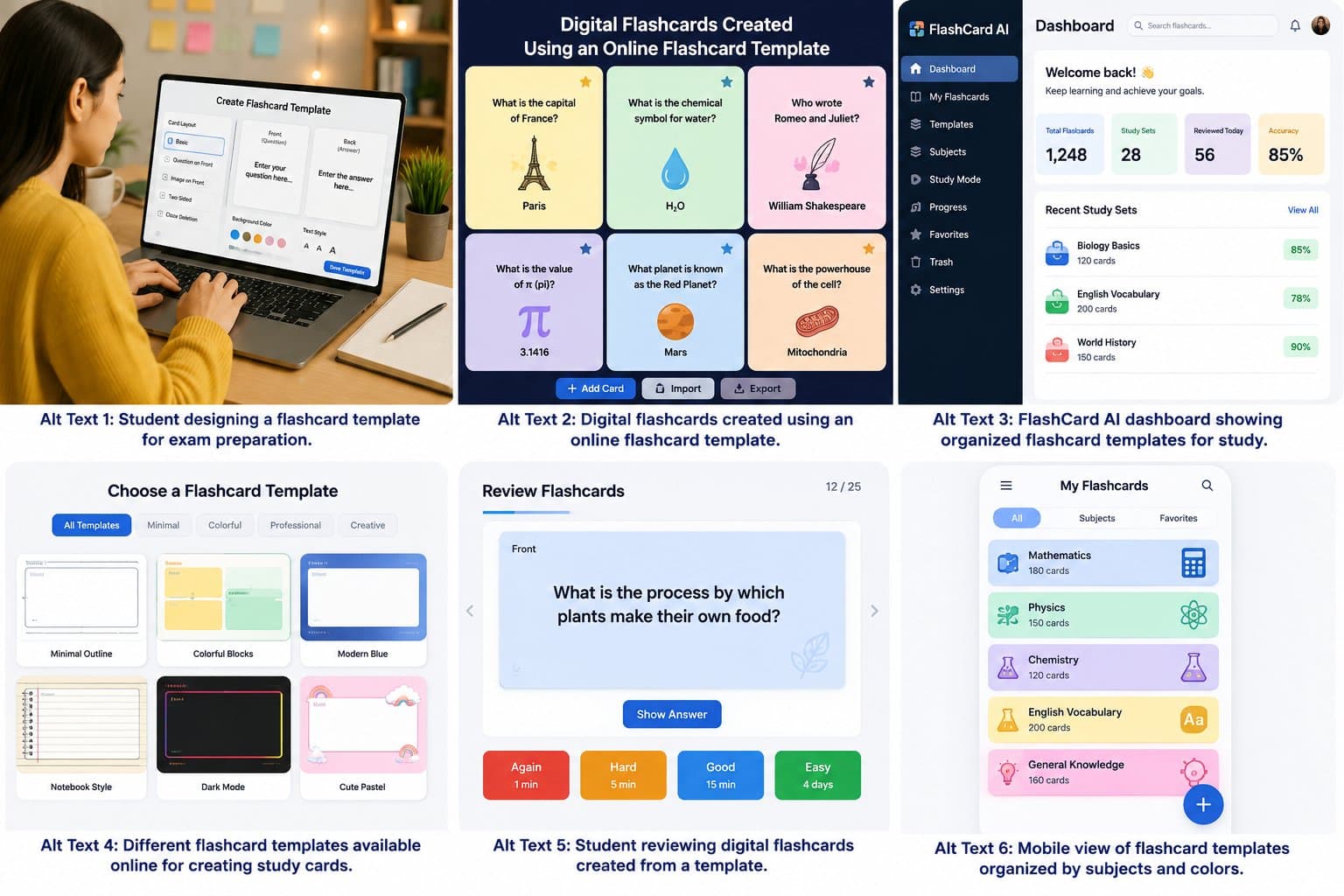
8 Powerful Benefits of a Free Flashcard App for Smarter Study Introduction Studying is easier when information is organized into small and clear sections. A free flashcard app allows learners to create, store, and review digital question-and-answer cards without paying for printed study sets. It can support exam preparation, language learning, professional training, and everyday revision. FlashCard AI helps students and teachers turn reliable learning material into organized digital cards. Users can review important terms, definitions, dates, formulas, and ideas from supported devices. When combined with active recall and regular practice, digital flashcards can make learning more focused and convenient. Quick Answer: What Is a Free Flashcard App? A free flashcard app is a digital study tool that provides basic card creation and review features without an initial cost. Each card usually presents a question, word, image, or prompt on the front and an answer on the back. Learners can use it to: Review school and university subjects Build vocabulary Remember formulas Prepare for exams Practice professional terms Organize notes into smaller topics Identify weak areas Study during short breaks Some apps offer optional paid features, such as extra storage, advanced AI tools, exports, or detailed progress reports. Users should check current pricing and plan limits before choosing a platform. How Does a Flashcard App Work? A flashcard app divides learning material into short prompts and answers. Learners view the front of each card, try to remember the answer, and then check the back. For example: Front: What is the capital of Australia? Back: Canberra A typical study process includes: Choose a subject or learning goal. Create a named card set. Add one focused question to each card. Write a short and accurate answer. Review the cards regularly. Repeat difficult cards more often. Update the set when information changes. This simple system helps users see what they understand and which topics need more practice. 1. Reduce the Cost of Study Materials Printed card packs, revision books, and workbooks can be expensive. Digital cards provide an affordable alternative for learners who want to organize their own material. They may reduce spending on: Paper and printer ink Pens and markers Ready-made revision cards Storage boxes Replacement materials However, a free plan may not include every tool. Some platforms limit the number of cards, file uploads, shared sets, or AI requests. Others display advertisements or require a subscription for advanced functions. Before signing up, review the platform’s current features, privacy policy, and payment terms. 2. Make Card Creation Faster Handwriting a large set of cards can take hours. A digital flashcard maker online allows users to type, copy, edit, and organize cards more quickly. FlashCard AI can make preparation more efficient by helping users turn suitable notes into short questions and answers. A simple workflow is: Select one topic. Collect accurate notes from a trusted source. Add the relevant material to FlashCard AI. Create an initial card set. Check every question and answer. Remove repeated or unnecessary cards. Organize the final set by topic or difficulty. AI-generated content may include mistakes or miss important context. It should always be reviewed against textbooks, course notes, or other reliable sources. 3. Support Active Recall Active recall means trying to remember information before looking at the answer. It changes studying from passive reading into active self-testing. Follow these steps: Read the question on the front. Keep the answer hidden. Think carefully about your response. Say or write the answer. Reveal the back of the card. Compare your response with the correct answer. Mark the card as easy, medium, or difficult. Do not turn over the card too quickly. The effort of trying to remember is an important part of the learning process, even when the answer is incorrect. 4. Allow Flexible Learning Anywhere Digital cards are easier to carry than a large collection of paper cards. Depending on the platform and device support, learners may be able to review them on a phone, tablet, or computer. Useful study moments include: Before class During a lunch break On a commute At the library While waiting for an appointment Before a meeting At home in the evening A short 10-minute session can be useful when it becomes part of a regular routine. Frequent practice is often easier to manage than one long session immediately before an exam. Some tools require internet access, while others may provide offline features. Check the service details if offline learning is important to you. 5. Organize Several Subjects Clearly Digital card sets can be arranged into folders, decks, chapters, or categories. This makes it easier to find the right information when studying several subjects. Cards may be grouped by: Course Subject Chapter Exam date Question type Difficulty Learning goal Review status For example, a science student may create separate sets for biology, chemistry, and physics. The biology set could then be divided into cells, genetics, ecology, and human anatomy. Useful progress labels include: New Learning Difficult Almost known Mastered Difficult cards should appear more frequently, but mastered material should still be checked occasionally. 6. Support Many Learning Goals Free online flashcards can be used across different subjects and skill levels. Language Learning Language cards may cover: Words and translations Common phrases Grammar rules Pronunciation notes Example sentences Learners should also practice reading, writing, listening, and speaking. Science Science cards can include: Definitions Scientific processes Chemical symbols Body systems Laws and theories Important discoveries Mathematics Math cards are useful for: Formulas Symbols Unit conversions Rules Short solution steps Students should also solve complete problems to learn how to apply each formula. History and Geography Possible topics include: Important dates Historical people Causes and effects Countries and capitals Geographic features Major events Professional Development Professionals may create sets for: Industry vocabulary Safety procedures Product information Interview questions Workplace processes Certification exams 7. Provide a Personalized Study Experience Every learner has different strengths, goals, and knowledge gaps. Personal card sets can match a specific course more closely than general study materials. Users can personalize cards by: Rewriting difficult information in easy words Adding examples from lessons Including useful images Creating extra cards for weak areas Adding short memory hints Removing information they already know Sorting questions by difficulty Adjusting the level of detail A beginner may need basic definition cards. An advanced student may benefit from questions about comparisons, causes, exceptions, and practical applications. Personalization keeps study sessions relevant and helps learners focus on the material that matters most. 8. Improve Review With Spaced Repetition Spaced repetition is a method of reviewing information over increasing time gaps. New and difficult cards appear often, while familiar cards are reviewed less frequently. A basic schedule may be: First review: The same day Second review: The next day Third review: Three days later Fourth review: One week later Fifth review: Two weeks later If you forget an answer, move the card back to a shorter review interval. When an answer remains easy, increase the gap before reviewing it again. Some apps manage this schedule automatically. Available review tools vary by platform, so check whether spaced repetition is included in the free plan. What Features Should You Look For? The best app depends on your subject, device, and study style. Look for features that make card creation and review simple. Helpful features may include: Easy card editing Clear subject folders Search and filtering Image support Progress tracking Spaced repetition Import and export options Device compatibility Offline access Accessible layouts Privacy controls Avoid choosing a platform only because it has many features. A simple tool with clear cards and reliable review options may be more useful than a complicated app. How to Make Better Digital Flashcards A good card is focused, accurate, and quick to read. Too much text can hide the main point and slow down review. Use these best practices: Test one idea on each card. Ask a direct question. Keep the answer short. Use trusted source material. Avoid copying full paragraphs. Add images only when they support learning. Check names, dates, formulas, and definitions. Divide complex topics into smaller questions. Remove repeated cards. Update information when needed. Instead of asking, “Explain the entire water cycle,” create separate cards about evaporation, condensation, precipitation, and collection. How FlashCard AI Helps Learners and Teachers FlashCard AI supports digital card creation by helping users organize suitable content into useful prompts and answers. It can reduce repetitive setup work and provide a practical starting point. Students can use FlashCard AI for: Exam revision Vocabulary practice Chapter summaries Formula review Daily self-testing Teachers can use it to prepare: Lesson warm-ups Vocabulary quizzes Matching activities Topic reviews Exit questions Classroom revision sets Teachers and students should verify every generated card before using it. AI may misunderstand information, provide an incomplete answer, or create wording that does not match the learner’s level. Common Mistakes to Avoid Even a useful app will not improve learning if the cards are poorly designed or reviewed. Avoid these common mistakes: Adding several questions to one card Writing paragraph-length answers Looking at the answer immediately Reviewing only easy material Creating too many cards at once Using the same order during every session Trusting public or AI-created sets without checking them Uploading confidential information Using cards as the only study method Combine digital cards with lessons, reading, writing, discussions, practice tests, and practical activities. Frequently Asked Questions Is a free flashcard app useful for exam preparation? Yes. It can help learners review terms, facts, dates, formulas, and short concepts. It should be combined with practice papers, longer questions, and other exam exercises. Are all flashcard app features free? Not always. Some platforms offer basic features for free but charge for AI tools, exports, extra storage, or advanced review options. Check the current plan details. How many cards should I review each day? Start with 10 to 20 cards and adjust the number based on your time, subject, and difficulty level. Regular review matters more than a large daily total. Can FlashCard AI create cards from notes? FlashCard AI can help organize suitable notes into digital questions and answers. Every generated card should be checked against a reliable source. Are digital cards better than paper cards? Both formats can be effective. Digital cards are easy to edit, organize, and carry. Paper cards provide screen-free practice and support handwriting. Are free online flashcards always accurate? No. Public and AI-generated sets may contain incorrect or outdated information. Verify each answer before studying it. Can children use a flashcard app? Yes, with age-appropriate content and adult guidance. Parents and teachers should review the platform’s age requirements, privacy policy, and safety features. Can an online flashcard maker replace textbooks? No. Flashcards mainly support memory and revision. They work best with lessons, reliable books, teacher feedback, and practical exercises. Conclusion A free flashcard app provides an affordable and flexible way to organize study material, practice active recall, and review difficult topics. It can support school subjects, language learning, professional development, and exam preparation. FlashCard AI makes digital card creation more convenient, but careful fact-checking remains essential. Clear questions, short answers, spaced repetition, and regular practice can help learners build a smarter and more manageable study routine. for more detailed :https://medium.com/@gracehelen359/10-powerful-benefits-of-free-flashcards-for-smarter-learning-40409b3d940d?postPublishedType=initial